AVS Audio Editor 7.1.6.484
AVS Audio Editor is a comprehensive tool for audio editing
 Download
Program info




AVS Audio Editor is a comprehensive tool for audio editing, with a wide range of options and an extensive list of supported audio formats. It enables you to edit and apply a series of effects and filters to your audio files with ease. It also works as an audio extractor, converter, and recorder.
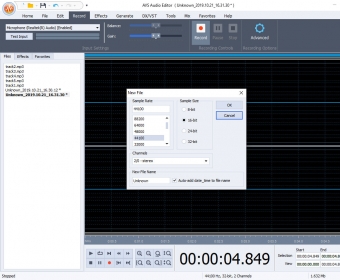
The application can read a total of 71 audio formats and save them into MP3, FLAC, WAV, WMA, AAC, MP2, AMR, OGG, and M4A. With it you will be able to cut, trim, join/split, delete a segment of your audio file, mix and blend several files into one, convert audio to a variety of formats, and record anything from the sound card.
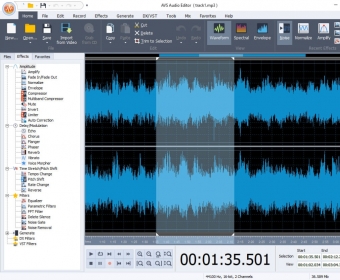
The interface is elegant and organized, and makes the editing process easy to carry out. It displays the sound wave in the center of the screen with a timeline and scales that let you work with precision. The toolbar at the top gives you quick access to the program's most used options. You can choose any of the three viewing modes and also modify the sound wave style and colors. It is also possible to create a customized toolbar with your favorite options.
On the right of the screen you will see a list with all the effects and filters included, which are classified by type. These can be applied to one or more files at a time. Among them, you will find fade in/out, reverb, echo, flanger, pitch shift, voice morpher, tempo change, plus dozens more. From the list of filters you can use the equalizer, noise remover, and also generate noise, silence, chirp, etc. The application supports VST and DX plugins, so you can extend this list even more.
The application looks sophisticated but the truth is that it is intuitive and easy to use, thus suitable for both expert and amateur users. The list of supported formats plus the impressive amount of options it includes make it a powerful tool that offers endless possibilities for working with audio.
Pros
- Feature-rich
- Easy to use
- Great format support
- Highly configurable interface
- Support for VST and DX plugins
Cons
- None, except for the limitations one can expect from a trial version
Details


Related software

간단한 비디오 편집 응용 프로그램은 다음과 같은 다양한 동영상 효과, 필터
Related stories
See all
We've picked 5 best free solutions for creating, editing, and managing PDFs.
Microsoft has announced a line of Copilot+ PCs: powered by ARM chipsets, heavy on AI, and with Recall inside. So, what's that?
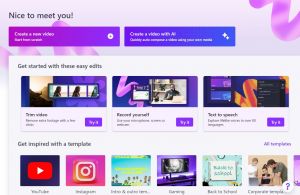
Looking for simple yet efficient (and free) video editing software? Let us give you Clipchamp.